[ DESKTOP APP ]
Your library, right next to 3ds Max.
ODRM LIB scans the 3D models on your disk, pulls out their previews and sends them into your 3ds Max, Blender or SketchUp scene in one click. Your files stay where they are.
- Scans your folders and groups models and textures by itself
- Pulls the preview out of .max files, so you see them without opening
- Merges into your scene in one click, textures follow along
- Browse your Google Drive folders without downloading (closed beta, we enable it per account)
- Download the models in your odrmlab.com account straight into the library
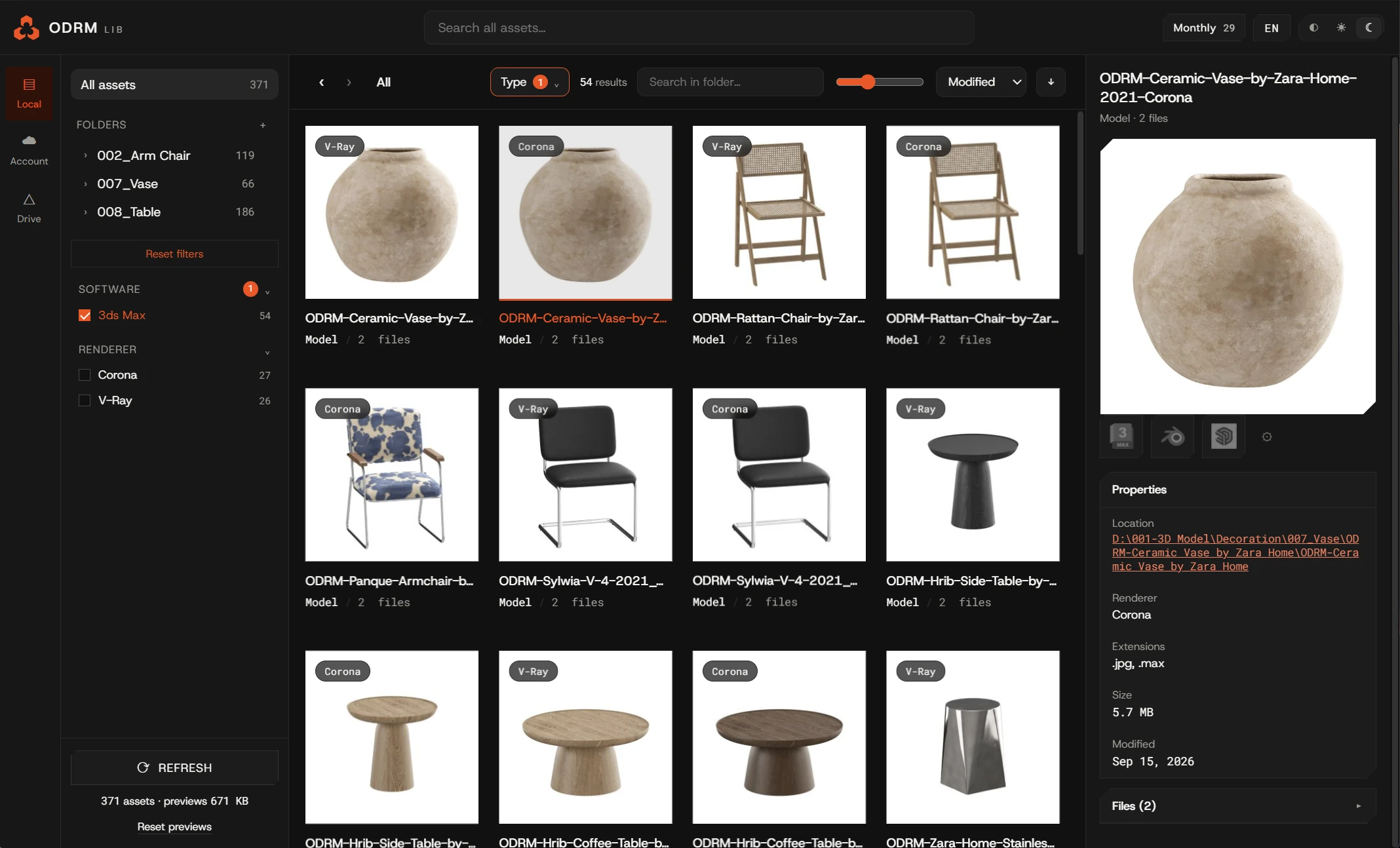
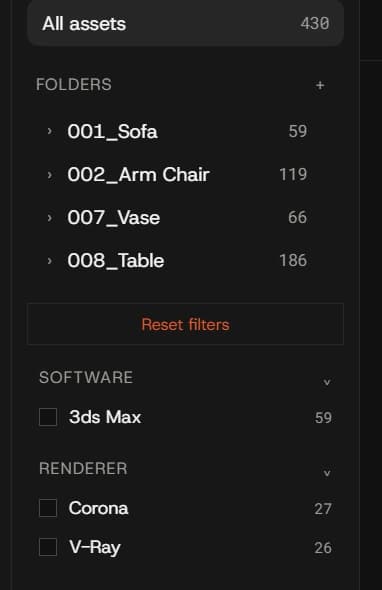
Every model you own, in one window.
ODRM LIB reads your disk, groups the files that belong together and pulls a preview out of each one. Filter by renderer, format or folder.
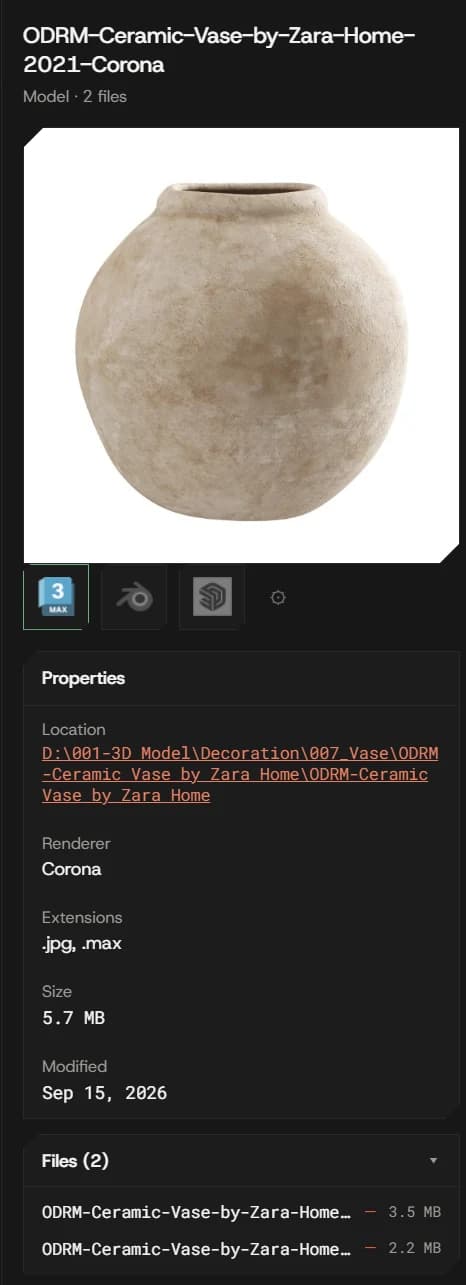
One click into 3ds Max, Blender or SketchUp.
Pick a model, press the icon of the program you use, and it lands in the open scene with its textures. All three work today, with no waiting list.
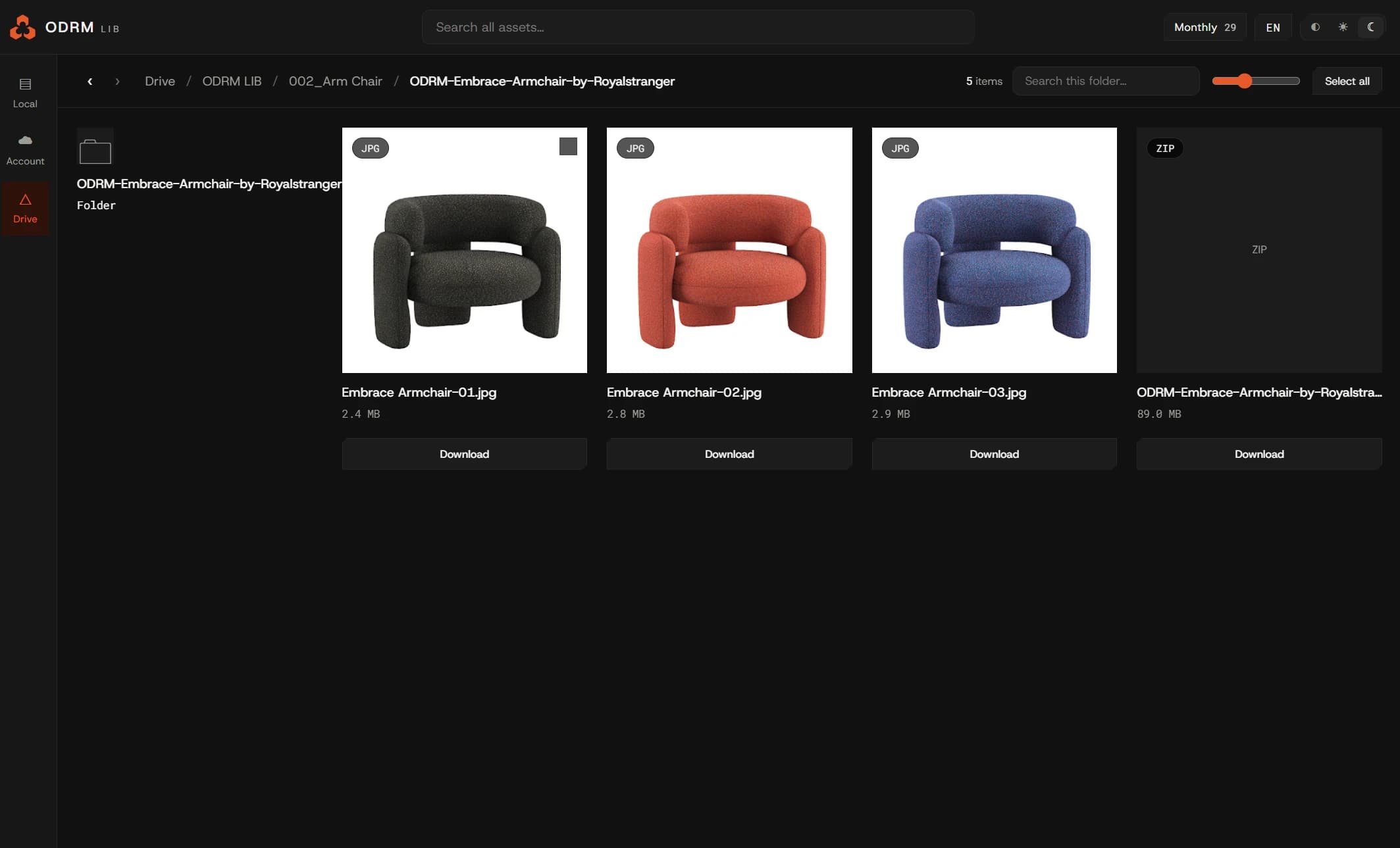
Your Drive, without the downloading.
Browse the model folders in your Google Drive from inside the app. Previews come from Drive; only the file you actually use is downloaded. Read-only access, so nothing is ever written to your Drive. Drive is in closed beta while we complete Google's approval process: ask from inside the app and we enable your account, usually within a working day.
Your odrmlab.com models, one click away.
Everything you have bought or picked up free shows up here. Download it straight into your library.
Monthly
$10
per month, cancel anytime
Yearly
50% off$60
per year, works out to $5 a month
You can try it free for 3 days first. No card needed.
DOWNLOAD
Installer for Windows. Log in with your account after installing and the 3-day trial starts by itself.
Download for WindowsWindows 10 / 11 · 64-bit